

What Are the Hidden Privacy Risks of Browser Extensions?
Browser extensions are not just passive tools—they are mini-applications that run continuously in the background of your web browser. This continuous operation grants them deep access to the rendering engine and the data passing through it. We focused the risk analysis on Document Object Model (DOM) manipulation, as this vector captures local keystrokes and form data before any network-level encryption occurs. When an extension has the ability to read the DOM, it can intercept passwords, personal messages, and financial details directly from the page structure.
The technical mechanism often involves the execution of document.querySelectorAll to scrape rendered page text. This command allows an extension to parse the entire visual structure of a webpage, extracting sensitive information seamlessly. Users rarely notice this background activity because the browser continues to function normally.
Beyond immediate data scraping, the lifecycle of an extension presents a severe vulnerability. Many extensions start as safe, single-purpose tools built by independent developers. Once they amass a large user base, they become lucrative targets for acquisition. Community observation suggests that malicious updates are typically pushed roughly two to six weeks after an extension changes ownership. The new owners leverage the existing trust and permissions to deploy invasive tracking scripts or adware, transforming a previously safe utility into a silent data harvester.
How Do Extension Permissions Expose Your Data?
Understanding the permissions you grant is the first step in securing your browsing environment. When you install an extension, the browser presents a list of requested capabilities. The permission analysis was centered on the broad host permissions declaration within the extension manifest file to demonstrate the maximum possible attack surface. A common and highly dangerous request is the ability to 'Read and change all your data on the websites you visit'.
This request often stems from Manifest V3 host_permissions arrays requesting global URL access. Global access means the extension injects its code into every single tab you open, regardless of whether it needs to interact with that specific site. In contrast, site-specific access restricts the extension's execution to a single, defined domain.
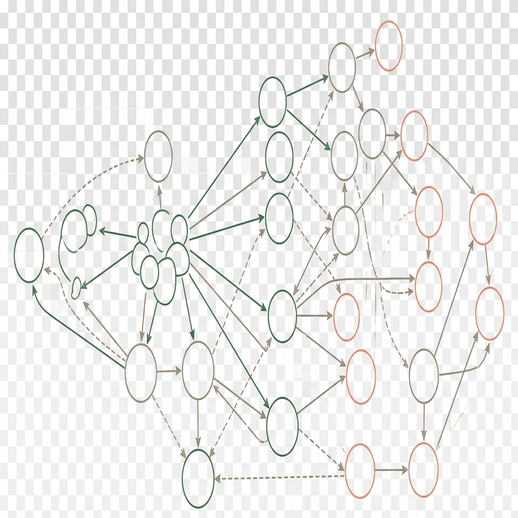
Excessive permissions create a massive attack surface. Even if an extension is not actively malicious, poorly written code with global access can be exploited by third-party attackers. Furthermore, these permissions allow background service workers to remain active for upward of eight hours during extended desktop usage. This prolonged active state gives scripts ample time to monitor behavior, aggregate data, and transmit payloads back to remote servers without triggering immediate user suspicion. You can review the official Chrome extension permission warnings documentation to understand exactly how these declarations map to user-facing prompts.
What Are the Limitations of Built-In Browser Security?
Modern browsers employ automated review systems to police their respective extension galleries. These systems are highly effective at catching known malware signatures and blatant policy violations. However, we excluded automated store scanners from our primary defense recommendations because they frequently miss obfuscated JavaScript payloads, shifting the focus entirely to manual user-side restrictions.
Developers with malicious intent utilize techniques like the Base64 encoding of external payloads to bypass static code analysis. The automated scanner reads the encoded string as harmless text, but once the extension runs in the browser, it decodes and executes the hidden script. This is a primary reason why extensions sold to unknown developers pushing obfuscated code updates that bypass initial store security scans remain a persistent threat.
The review pipeline itself introduces a window of vulnerability. Automated repository review processes spanning roughly one to three days before approval create a bottleneck, but they still cannot predict post-installation behavior changes. Security researchers have noted in ongoing, multi-year tracking projects that an extension's safety is only guaranteed for its current version.
Important: Relying solely on browser-level protections is insufficient for strict privacy management. The temporal nature of security means a safe extension today can become a critical liability tomorrow following a single background update.
How Can You Audit Your Current Extensions Effectively?
Taking control of your browser requires a systematic approach to auditing installed extensions. Navigate to your browser's extension manager and review the active list. The audit methodology was structured to begin with the browser task manager, establishing a baseline of hardware resource consumption before evaluating software permissions. This sequence is crucial because resource spikes often indicate hidden background activity.
Open the built-in task manager and monitor the memory footprint. You are looking for extensions consuming somewhere upward of 150MB of system RAM in the browser task manager. High memory usage, especially when the extension is supposedly idle, warrants immediate investigation. You will often see the memory consumption of background scripts varying significantly between static text pages and dynamic web applications.
Initially, attempting to restrict all extensions to 'on click' execution seemed like the most secure approach to limit this background activity. It failed because it broke functionality for passive utilities like ad blockers or dark mode toggles that require immediate execution during the initial page load. Consequently, the strategy shifted to establishing a baseline of hardware resource consumption first, and then selectively applying permission restrictions based on the extension's core function.
Field Note: Restricting extension access to 'on click' breaks functionality for passive utilities. Reserve this strict limitation for single-use tools like screenshot utilities or grammar checkers that do not need to run continuously.
To maintain a secure environment, commit to scheduling manual permission audits every month or two. Regular reviews ensure that newly granted permissions or forgotten installations do not compromise your system over time.
Extension Audit and Vetting Protocol
- Open the browser's built-in task manager to identify extensions exceeding 150MB of RAM usage.
- Review the manifest permissions for any extension requesting global host access.
- Verify the developer's privacy policy and check for updates within the last six to nine months.
What Are the Best Practices for Installing New Extensions?
When you need to add new functionality to your browser, rigorous vetting prevents future compromises. Start by verifying the publisher's official website. A legitimate developer will host a dedicated site with clear contact information and a detailed privacy policy. Vetting criteria were structured around update frequency and privacy policy documentation to establish a verifiable trail of active developer maintenance.
Check the repository for recent activity. Verifying the software repository shows an update within the last six to nine months confirms that the developer is actively patching bugs and responding to security vulnerabilities. Abandoned extensions are prime targets for hijacking.

Avoid installing multiple extensions that perform the same function. Stacking three different ad blockers does not provide triple the protection; it simply triples your attack surface and degrades browser performance. Choose one optimal tool with a proven track record.
Though sample sizes vary by operating system, member feedback indicates that testing new tools in isolation prevents primary data contamination. We recommend creating a local-only browser profile with cloud synchronization disabled for testing. Install the new extension in this isolated environment, monitor its behavior in the task manager, and review its network requests before integrating it into your primary daily-driver setup.
Which Desktop Alternatives Can Replace High-Risk Extensions?
The most effective way to secure your browser is to remove high-risk extensions entirely and replace them with system-level applications. System-level applications were selected as the primary mitigation strategy to simultaneously reduce browser memory overhead and isolate sensitive data from web rendering engines.
Browser-based proxy or VPN extensions are particularly vulnerable because they only encrypt traffic within the browser itself, leaving other applications exposed. Replace these with desktop VPN clients utilizing WireGuard protocols directly at the OS network interface level. This approach secures all outbound traffic and removes a complex, high-permission extension from your browser.
Similarly, relying entirely on browser-sync extensions for password management exposes your vault to DOM scraping attacks. Dedicated desktop password managers offer superior security through native auto-fill mechanisms that bypass the browser's internal storage. Enhance this setup by configuring native password manager auto-lock triggers after several minutes of system inactivity.
Bottom Line: Shifting heavy utilities to the operating system level reduces browser bloat and isolates sensitive data—a critical step for long-term system hygiene. By minimizing the number of active extensions, you drastically reduce the avenues available for data harvesting.