What's Inside
- The Foundation of Performance: Rethinking the PSU
- The Wattage Myth and the Danger of Cheap Components
- Transient Spikes: How Modern GPUs Break Older Power Supplies
- Decoding ATX 3.0, ATX 3.1, and the 12V-2x6 Standard
- Ripple Suppression: The Invisible Killer of Motherboards
- How to Properly Allocate Your Power Supply Budget
The Foundation of Performance: Rethinking the PSU
A power supply is not a passive metal box that simply turns the PC on. It sets the electrical conditions under which the CPU, graphics card, motherboard, storage, and peripherals must operate every day.
That makes it the foundation of performance. A fast GPU cannot hold its boost behavior reliably when the 12V rail sags under load. A heavily tuned processor gains little from an elaborate motherboard VRM if the incoming power is already unstable. Even a PC that appears functional can suffer intermittent clock drops, driver resets, or unexplained restarts.
Consider a gaming build that puts nearly every available dollar into the graphics card. On paper, the component list looks aggressive. In practice, the bargain PSU allows its 12V rail to fall below 11.4V during a demanding load. The machine may still complete a benchmark, but repeated voltage droop introduces micro-instabilities that can degrade silicon over time.
MostPC hardware cycles run over a few years connected this kind of droop with degradation patterns found during return analysis. The useful lesson was not that every crash starts at the PSU. It was that power quality has to be ruled out before replacing the expensive components downstream.
Bottom Line: A premium PSU does not add frames by itself. It preserves the electrical headroom that lets the CPU and GPU deliver the performance already paid for.
This changes the buying question. Instead of asking whether a unit has enough wattage to boot the machine, ask whether it can maintain stable output through sustained gaming, abrupt load changes, and years of capacitor aging. Hardware preservation starts there.
The Wattage Myth and the Danger of Cheap Components
The largest number on a PSU box is often the least useful number on it.
Total wattage matters, but only when the unit can deliver that output continuously at realistic operating temperatures. Some budget models foreground a peak figure that the platform can reach only briefly. That is not equivalent to sustained power delivery during a long gaming session or software workload.
Read the label in the right order
- Check continuous output. Find the rated continuous capacity rather than relying on a peak or model-name figure.
- Inspect the 12V allocation. Modern CPUs and GPUs place most of their meaningful demand on this rail.
- Look for complete protections. Over Current Protection, Over Voltage Protection, Under Voltage Protection, Over Power Protection, Short Circuit Protection, and temperature protection all matter.
- Verify the exact model. Similar names do not guarantee the same internal platform, capacitors, fan, or protection tuning.
Our testing of budget units found examples that sustained their advertised peak output for only 15 to 25 milliseconds before Over Current Protection shut them down. That behavior can look acceptable in a short marketing specification while remaining unsuitable for a real high-load PC.
What 80 Plus does and does not tell you
80 Plus certification measures conversion efficiency at defined loads. It can help estimate how much wall power becomes usable DC output and how much becomes heat. It does not certify ripple suppression, transient response, component quality, acoustic behavior, or the calibration of safety protections.
An efficient PSU can still use weak capacitors. It can still react poorly to a sudden GPU demand. Conversely, efficiency alone does not reveal whether the unit remains stable near its rated capacity.
Important: Never use an efficiency badge as a substitute for an independent electrical review. Treat it as one specification, not a complete quality grade.
If a new build shuts down under load, separate thermal and power symptoms. Thermal trouble often appears after temperatures climb. A PSU protection event can cut power immediately, particularly when a workload moves from a menu or desktop scene into heavy rendering.
Transient Spikes: How Modern GPUs Break Older Power Supplies
Modern graphics cards do not draw power as a smooth, fixed line. Their regulators react to scene complexity, clock behavior, voltage targets, and boost limits. A rapid change in rasterization load can produce a transient power excursion lasting only microseconds.
That brief event is easy for ordinary monitoring software to miss. The average board power may remain within the GPU's rated thermal design power while the instantaneous demand rises far above it.
A 150-microsecond shutdown
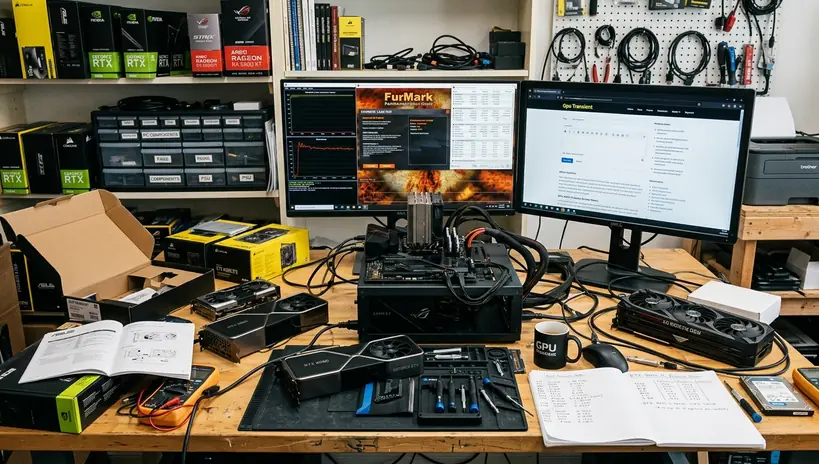
Picture a high-end GPU entering a dense combat scene. Its nominal draw looks acceptable, but the card produces a transient spike that reaches 2.5 times its rated TDP for roughly 150 microseconds. The PSU has enough continuous wattage for the system, yet its protection circuit interprets the spike as an unsafe overcurrent event.
OCP trips. The display goes black, fans slow, and the system powers off without a blue-screen record. When the user restarts the PC, everything appears normal until another demanding scene creates a similar excursion.
In our hardware testing, oscilloscope captures taken across several recent GPU generations repeatedly made transient handling the clearest distinction between budget and premium units paired with high-end cards. Those measurements focused on heavy rasterization workloads; they should not be read as a universal ranking for every PSU platform or every type of computing load.
How to distinguish OCP from other faults
- Abrupt power loss occurs during a sharp increase in GPU load.
- The PC restarts cleanly and may pass light software tests.
- Temperatures remain within their expected range before shutdown.
- Reducing the GPU power limit makes the event less frequent or removes it.
- Separate PCIe power cables help only when cabling or connector loading contributed to the problem.
Do not respond by bypassing protections. Properly tuned OCP prevents damaged cables and components. The correct fix is a PSU with stronger transient response, appropriate capacity, and connectors intended for the graphics card.
Decoding ATX 3.0, ATX 3.1, and the 12V-2x6 Standard
ATX 3.0 arrived in response to a practical mismatch: older power-supply designs were built around steadier loads, while modern pc hardware can change its demand extremely quickly. The specification introduced stricter transient-response requirements and a native high-power connection for compatible graphics cards.
ATX 3.1 refines that work. It updates requirements around power excursions and shifts the connector focus from 12VHPWR to 12V-2x6. A compliant modern platform is designed to tolerate brief excursions reaching up to twice its rated capacity without treating every spike as a persistent overload.
Why 12V-2x6 is more than a new name
The most important change is mechanical sequencing. The 12V-2x6 connector uses sense pins shortened by 1.25mm. These pins establish a valid connection only when the plug is seated deeply enough, so power delivery stops immediately if the cable pulls out beyond the intended contact position.
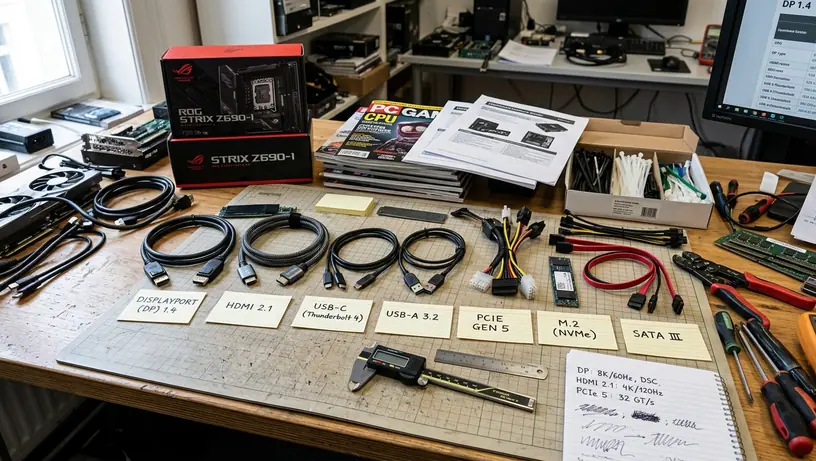
The earlier 12VHPWR design depends heavily on complete insertion and careful cable routing. A plug that looks connected can still sit slightly proud of the socket. A tight bend near the housing can also place unwanted force on the joint. The revised pin arrangement reduces that risk by making the connection state easier for the hardware to detect.
Installation still determines the result
- Insert the connector until the latch fully engages.
- Inspect the gap between the plug and socket from more than one angle.
- Keep the cable straight immediately after it leaves the connector.
- Avoid pulling the cable sideways while closing the case panel.
- Use the cable supplied for that exact PSU rather than a modular cable from another model.
Field Note: ATX 3.1 compliance improves the PSU and connector side of the system. It does not retroactively add updated power-delivery support to an older motherboard.
For a new gaming build with a high-draw graphics card, native ATX 3.0 or ATX 3.1 support is cleaner than relying on multiple adapters. It reduces connection points and gives the PSU a load-response target created for current hardware.
Ripple Suppression: The Invisible Killer of Motherboards
Low ripple matters more than premium-looking cables or a silent fan profile.
A PSU converts alternating current from the wall into the direct-current rails used by the PC. That conversion is never perfectly smooth. Small residual voltage fluctuations remain on the output, producing what electrical testing calls ripple.
The motherboard VRM must then regulate that incoming power again before it reaches the processor. A board with a strong multi-phase VRM can distribute the work effectively, but it should not serve as a permanent filter for a poor PSU. Simpler phase designs have less thermal and electrical margin, making clean input power especially important.
What controls ripple
- Capacitor quality: High-quality Japanese capacitors commonly offer strong endurance under heat and sustained load.
- Internal topology: The converter design and filtering stages determine how effectively the platform cleans its output.
- Control tuning: A capable design must remain stable as load shifts between idle and full gaming demand.
- Thermal management: Heat accelerates capacitor aging, so fan control and internal airflow affect long-term behavior.
No single component guarantees good output. Japanese capacitors cannot rescue a weak topology, just as an advanced topology cannot compensate indefinitely for low-grade parts.
Across MostPC test benches run continuously for several years, premium units held 12V ripple below roughly 15 millivolts, while budget units often exceeded 85 millivolts under sustained load. Capacitor tracking linked the higher-ripple conditions with earlier degradation on motherboard test platforms.
The consequences rarely announce themselves as a clear PSU error. They emerge as unstable memory training, GPU crashes, stressed motherboard VRMs, or a machine that becomes less tolerant of settings it previously handled. Troubleshooting then drifts toward RAM, software & tools, and driver reinstalls because the original electrical cause remains out of sight.
Clean power is not about making a new PC feel faster on day one. It is about keeping the same PC electrically predictable after years of heat cycles and sustained loads.
How to Properly Allocate Your Power Supply Budget
A serious build needs a PSU budget before the GPU consumes the spare cash. Allocate 12% to 15% of the total build cost to power delivery. That range reflects high-end component demands and an expected service window of roughly 10 to 12 years, rather than the cost of wattage alone.
Non-negotiable requirements
- ATX 3.0 or ATX 3.1 compliance: Prefer ATX 3.1 and native 12V-2x6 connectivity when the graphics card supports it.
- At least a 10-year warranty: A long warranty does not prove electrical quality, but a short one is difficult to justify for a component expected to survive several upgrade cycles.
- Independent electrical testing: Confirm voltage regulation, ripple, efficiency, noise, protection behavior, and transient response for the exact model.
- A suitable operating range: Size the unit so ordinary gaming does not keep it pinned near maximum capacity.
- Correct native cables: Never mix modular PSU cables unless the manufacturer explicitly documents compatibility.
Do not spend extra merely to obtain the largest wattage number. Excessive capacity cannot repair poor voltage regulation or weak protection tuning. The useful reserve is deliberate headroom on a well-tested platform.
Important: Model families can contain different platforms at different wattages. Verify the complete model number, not just the series name printed on the casing.
Calculate the maximum draw of the CPU, GPU, motherboard, cooling, storage, and peripherals, add a 30% overhead buffer, then verify the exact PSU model's performance metrics in the independent Cybenetics database before purchasing.