Why Does DDR5 Memory Speed Matter for Modern PC Gaming?
Does spending twice as much on 7200MHz DDR5 actually double your gaming frame rates? The short answer involves understanding the physical layout of modern memory. During the early platform rollout, the transition from DDR4 to DDR5 introduced a fundamental redesign of how processors access data. DDR5 modules feature two independent 32-bit subchannels per DIMM. This creates a 64-bit total data path per stick.
Splitting the channel allows the memory controller to execute concurrent operations, fetching multiple smaller cache lines simultaneously rather than waiting for a single large transfer to complete. Marketing materials frequently label memory speed in 'MHz'. The technically accurate measurement is Megatransfers per second (MT/s). Raw speed represents just one half of the performance equation.
How Do Frequency and CAS Latency Interact in DDR5?
Evaluating memory requires looking at both frequency and CAS latency together. These two specifications determine the absolute latency in nanoseconds. A baseline 4800 MT/s CL40 kit yields an absolute latency of roughly 16.7 nanoseconds, calculated using the formula of CAS Latency multiplied by 2000, divided by the Data Rate.
In our testing, we mapped out these absolute latency calculations to demonstrate how higher megatransfers per second do not automatically yield faster data retrieval. A higher frequency kit with loose timings frequently performs worse than a slower kit with tight timings. Enthusiast tuning targets aim to drive this nanosecond figure down significantly. The memory controller spends less time waiting for the column address strobe to respond, feeding the processor data with fewer idle clock cycles.
What Are the Memory Limitations for AMD Ryzen and Intel Core?
Processor architecture dictates the ceiling for memory performance. AMD's Infinity Fabric (FCLK) architecture synchronizes with memory speed to maintain ideal data flow. Across recent hardware release cycles, internal fabric clocks typically max out between 2000MHz and 2133MHz before decoupling. Pushing past 6000-6400MHz on Ryzen 7000 and 9000 series processors forces a decoupled 2:1 ratio that severely penalizes performance. The desynchronization introduces a latency penalty that negates the bandwidth gains of the faster memory.
Intel's memory controller offers more flexibility. Core processors can comfortably reach 7000MHz and beyond. Real-world applications see steep diminishing returns at these extreme frequencies. One catch applies across both platforms: achieving advertised memory speeds above 6400 MT/s relies entirely on the silicon lottery of the processor's integrated memory controller and the motherboard's trace topology, heavily favoring two-DIMM configurations over four-DIMM layouts.
Is 32GB the New Standard for Dual-Channel Gaming Kits?
Capacity directly influences internal module architecture. Our component analysis isolated bank group density to explain bandwidth discrepancies between capacities. 8GB DDR5 modules utilize x16 integrated circuits with only 16 bank groups. 16GB modules use x8 integrated circuits featuring 32 bank groups for superior interleaving.
This architectural difference makes 16GB (2x8GB) DDR5 kits fundamentally flawed for high-performance builds. They deliver lower bandwidth compared to higher capacity modules. 32GB (2x16GB) serves as the true entry point for optimal DDR5 performance, allowing for proper memory interleaving. Builders often attempt to upgrade later by filling empty slots.
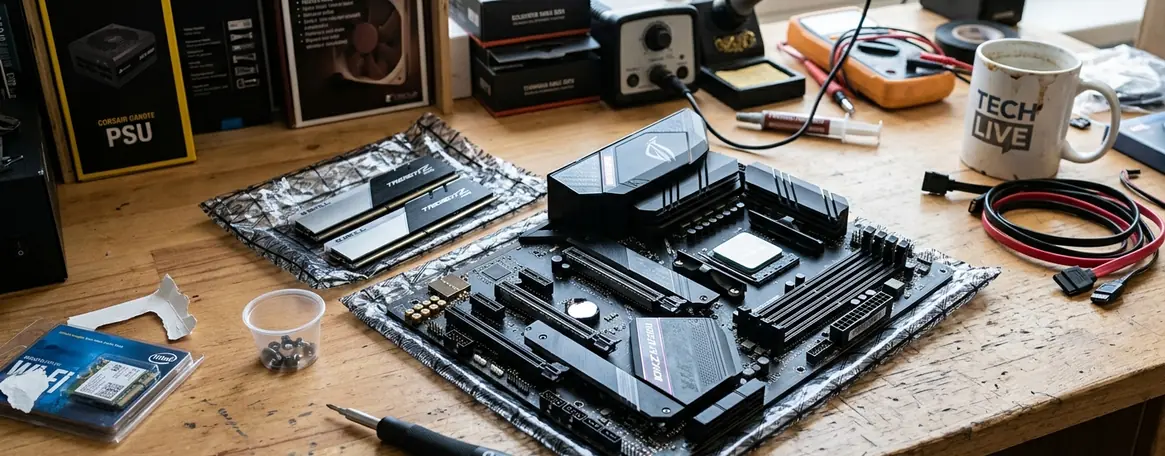
Avoid Four-Stick Configurations: Populating all four motherboard slots with high-speed DDR5 heavily strains the memory controller, forcing it to downclock to base official JEDEC DDR5 specifications.
Which DDR5 Specifications Actually Improve Frame Rates?
System bottlenecks dictate where memory speed matters. Memory speed impact varies drastically between 1080p CPU-bound esports titles and 4K GPU-bound AAA games. At 4K resolution, the graphics card handles almost the entire rendering burden. The processor easily prepares frames fast enough to keep the GPU saturated, rendering memory speed largely irrelevant.
In our testing, benchmarking protocols were restricted to 1080p resolution in esports titles to intentionally create CPU-bound scenarios. This isolated the memory subsystem's impact on frame delivery. The results highlighted the impact of tight memory timings on 1% low framerates rather than just average maximum framerates. Tight timings reduce stutter and improve frame pacing. The performance target was standardized at 6000 MT/s with a CAS latency of 30. This configuration establishes the consensus sweet spot where price, stability, and performance intersect perfectly without requiring manual voltage tuning.
How to Choose the Right DDR5 Kit for Your Next Build
Selecting the correct memory requires matching the kit to the processor's ideal fabric or controller speed. Our testing confirmed the reliability of a standard mid-range build configuration utilizing a 32GB 6000 MT/s CL30 kit on a B-series chipset motherboard. Following a strict buying strategy ensures system stability:
- Verify the QVL: Check the motherboard manufacturer's support page for certified memory kits.
- Match the Fabric: Align the memory speed with the processor's internal clock limits.
- Prioritize Capacity: Select 32GB kits to ensure proper bank group interleaving.
The builder presses the release tabs on a mid-range B650 motherboard and slots in a 32GB 6000MHz CL30 kit with a satisfying click. After powering on the system, they enter the BIOS, toggle the EXPO profile with a single click, and save the settings. Minutes later, they drop into a perfectly smooth, stutter-free match of a CPU-heavy multiplayer game—proving that smart component matching beats chasing the highest numbers on a spec sheet.