What's Inside
- How Early Ad Networks Turned Parked Gaming Domains Into Minefields
- The Mechanics of Deceptive Calls to Action and Browser Blacklists
- What Indie Studios and Publishers Look for During Domain Due Diligence
- Auditing Your Parking Feed to Strip Out Fake Installers
- Building a Frictionless Acquisition Path for Legitimate Gaming Buyers
How Early Ad Networks Turned Parked Gaming Domains Into Minefields
Parked gaming domains opened as dull placeholders. Late in the 1990s a registrar parked an undeveloped URL behind a short notice and stopped there. A player who typed a hopeful name saw a holding message.
Between 1998 and 2004 that quiet page disappeared. Domain registrars and early monetization networks moved undeveloped gaming domains from static placeholder notices to auto-generated, keyword-stuffed link directories. The URL stopped being a vacant lot. It became a generated index, every line a paid hop wearing the vocabulary of the name itself.
Where security sweeps logged quarantine hits on legacy gaming URLs, the flags sat on publicly reachable landing pages rather than inside any registrar ad-auction book.
The money shifted when aggressive third-party networks stopped selling directories and started selling recognition. Players who mistype a launcher, a mod hub, or a patch mirror are already in a downloading mood. Creatives that copied software installers, patch notes, and game launchers collected the click.
Picture the mistype. Someone hunting a community launcher lands on a parked name that contains the word launcher. The directory years would have offered a list. Later networks painted a panel in the shape of an update screen, progress bar and all, with one primary button. The player had already decided to get into a game. The click was the point of the design.
What Still Ships by Default
That generation of routing never got retired. Legacy ad scripts still parse URL tokens for substrings like mod, patch, or fps within 50 to 150 milliseconds of the initial DNS lookup. Unless the registrant has restricted the feed, the answer is a deceptive green download banner.
A name built for a mod community, a patch archive, or an fps config dump walks into that parser already matched. The creative arrives without a separate opt-in from the owner. The default path serves it. Restriction is the step that has to be taken on purpose.
Default Feed Risk
A gaming token in the hostname is enough for those routers to treat the visit as a software hunt. Leave the categories open and the banner writes itself.
The Mechanics of Deceptive Calls to Action and Browser Blacklists
The feed does not need a media kit. It needs the string. Automated ad systems scrape gaming keywords out of the domain and inject controls a player already trusts: a green Download Now, an Update Driver prompt, a Download Launcher button. Substrings such as mod, launcher, or patch are enough to pick the label. On a pc hardware name the same pass leans toward driver language.
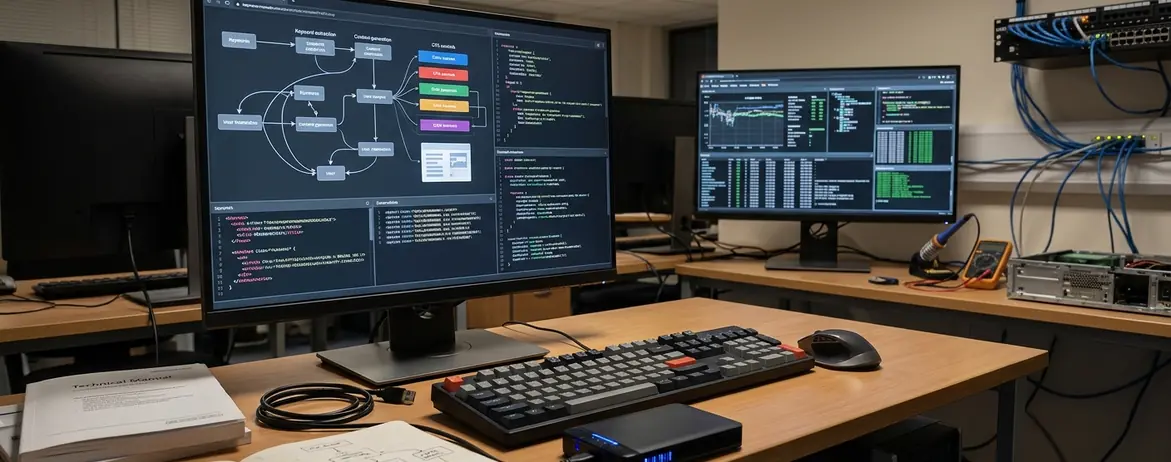
Trace one load. DNS answers. Within that 50 to 150 millisecond window the router has already decided the creative. The HTML arrives with a button that looks like the official client. Around it, copy mimics a patch note. The page never discloses that the file will be a bundled manager.
Click Path and the Report That Follows
The click delivers a Potentially Unwanted Program wrapped in a proprietary download manager. The manager's own screens push extra software and tools: toolbars, driver packs, browser extensions. The player thinks the launcher failed. The safety vendor records a deceptive installer served by that hostname.
Browser safety databases and antivirus vendors file the finding against the domain that rendered the link. DNS-level blocks come next. A warning interstitial starts loading ahead of any content you later swap in.
Clearing those blocks and interstitials takes a manual security review cycle of 14 to 30 days. Pull the ad feed on a Tuesday and the warning can still own the name for the rest of the month.
Google classifies fake installers and fake update prompts as social engineering against the site that showed them. The Google Safe Browsing social engineering policies explain why the warning binds to the hostname.
The click lasts a second. The blacklist entry stays with the name.
What Indie Studios and Publishers Look for During Domain Due Diligence
Studios, peripheral brands, and wiki operators buy a name so they can put a real product behind it. They also inherit every crawl that name already has.
Before an inquiry goes out, the buyer's side inspects three things in order. Historical snapshots show what the URL actually rendered. The backlink profile shows who pointed players at it. The live resolve shows what a visit does today. Prospective studio buyers audit 3 to 5 years of crawl snapshots and backlink profiles to verify the domain never distributed adware or fake game patches to the player base they intend to reach.
Snapshot Versus Live Bait
A minimal page that says the name is for sale reads as a held asset. A page still running download bait reads as hostile to the same players the buyer wants. That contrast is visible in a single load, and it decides whether a human ever writes to you.
Discovering active malware flags or deceptive download redirects during that pre-offer pass routinely causes corporate IT and legal teams to terminate the inquiry within 24 to 48 hours. The owner may still see a trickle of parking clicks. The buyer has already closed the ticket.
Adware-free parking preserves baseline marketability to legitimate game studios. Price sits elsewhere. Final acquisition offers still hinge on federal trademark clearance and shifting industry naming trends. A conflicting mark or an abandoned genre label can still end the deal after the security check passes.
Auditing Your Parking Feed to Strip Out Fake Installers
The page in a daily browser is the wrong specimen. Developer profiles carry privacy extensions that strip deceptive redirect scripts before render. You grade a sanitized response and call the feed clean.
Regular players do not arrive with that profile. Match their session with an isolated virtual machine, no ad-blocker, traffic routed through residential proxies across multiple regions. Change the device. Change the referral. A typed URL and a search click can pull different creatives from the same parking template.
Cuts Inside the Parking Dashboard
- Open the domain in a clean session across multiple regions and on more than one device, with no extension filtering the response.
- Record every green download control, every auto-redirect, and every title suffix the template added by itself.
- In the registrar or parking service dashboard, disable zero-click redirects.
- Opt out of software download, file-sharing, and browser extension ad categories.
- Remove dynamic keyword injection rules so the template cannot append Free PC Download or Official Patch to the HTML title.
- Reload the clean session and confirm the buttons and the injected title strings are gone.
Disabling zero-click auto-redirects and opting out of those three categories takes 15 to 20 minutes per domain portfolio. The injection you are trying to stop is quicker than the fix. Leave the keyword rules on and the template appends Free PC Download or Official Patch to the title tag within 5 to 10 seconds of page load.
Unfiltered Load
An ad-blocker during the audit hides the exact creative your players receive. Run the check with filtering off, or the green button stays your blind spot.
Owners who opt out of ordinary display ads and leave software-download categories enabled still serve the green button. Test from a residential path in another region, not only from the network where you manage the registrar.
Building a Frictionless Acquisition Path for Legitimate Gaming Buyers
Stop leasing the hostname to a script you do not control. A dedicated static For Sale page eliminates third-party ad scripts. Static HTML means no external JavaScript execution. A corporate buyer or an indie developer can read the source, confirm nothing else loads, and treat the URL as a straightforward place to start a transfer.
Sale Inquiry Core
Put three things on that page and leave the rest off: a checkable ownership proof, a human path to reply, and a price or a plain instruction for how the inquiry works.
Ownership verification belongs in public. Reference a DNS TXT record on the page so a buyer can confirm control without a screenshot exchange. Pair it with a direct contact form or a link to a reputable escrow brokerage. State the price, or state that inquiries are answered with a number.
A static, text-only For Sale page carrying that TXT note and an escrow link loads in under 200 milliseconds and runs no third-party tracking script. Moving DNS from an ad-supported parking nameserver to a self-hosted static inquiry page propagates across recursive resolvers within 4 to 24 hours.
During that window, recursive resolvers disagree. One city still hits the parking nameserver. Another already hits your static file. Invite a buyer only after a distant resolver and your own both confirm the inquiry page, with no download control left in the HTML.
Pocket Change Against a Deployable Name
Sketchy download clicks return pocket change and a reputation problem. A studio ready to deploy a launcher, a community wiki, or a peripherals campaign needs the name to resolve cleanly the hour the transfer finishes. The static page is how you keep that hour available.