A monitor can advertise an enormous refresh rate and still turn a dark doorway into a gray smear when the camera pans. That contradiction trips up gaming PC buyers because three separate mechanisms often get compressed into one specification: frame cadence, pixel transition speed, and image persistence.
Consider a typical upgrade choice between a budget 144Hz VA monitor and a better-tuned IPS or OLED display. The VA model may lead on the box. Once a fast game starts, its slow dark transitions can erase that advantage. Understanding why requires going back to the display technology LCD replaced.
CRT Phosphors Set the Original Clarity Benchmark
CRT monitors drew an image with an electron beam and phosphors rather than holding the entire frame under a continuous backlight. Each illuminated point flared and decayed quickly. Phosphor decay times in the testing notes for this guide ranged from roughly 1.5 to 3 milliseconds, creating a brief pulse of light followed by darkness.
That impulse behavior gave moving objects unusually clean edges. During eye tracking, the dark interval helped clear the previous image from the retina before the next one appeared.
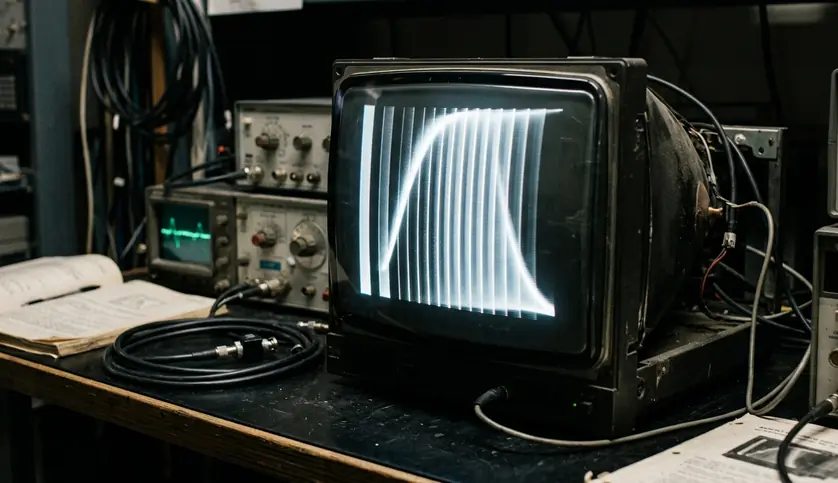
The transition from CRTs to early LCD adoption, concentrated between 2004 and 2008, changed the physical rules. LCD panels kept each frame illuminated until its replacement arrived. They offered a practical flat form factor and easier desk placement, yet introduced persistence blur that refresh-rate increases would later try to reduce.
The historical point matters when shopping today: CRT clarity came from light timing. A modern monitor needs fast pixels and short frame holds to approach the same result.
Refresh Windows and Pixel Transitions Measure Different Work
Refresh rate, measured in hertz, describes how many frames a monitor can accept and display each second. A 144Hz display receives a fresh frame every 6.94 milliseconds when the source maintains that cadence.
Gray-to-Gray response time describes the physical interval required for a pixel to move between color states. Panel makers use GtG because real LCD transitions often travel from one shade to another rather than simply switching between black and white.
The distinction exposes the weakness in the budget VA example. Dark-level transitions on such panels can stretch from 12 to 18 milliseconds. The panel may begin a new 6.94-millisecond refresh window while pixels still carry information from an earlier frame. A dark wall, weapon silhouette, or tree line then leaves a visible trail during camera movement.
Read Past Hertz: Compare transition behavior across bright and dark shades. A single best-case response-time label cannot describe the panel’s full motion performance.
Input lag deserves attention when evaluating controls and peripherals, but it answers another question: how long the system takes to show an input. GtG timing directly governs LCD smearing, so it provides the useful comparison here.
This is the first diagnostic step for any gaming monitor: compare the refresh window with actual pixel transitions. When those transitions run longer, extra frames arrive faster than the panel can cleanly draw them.
Held Frames Blur Under a Tracking Eye
Fast pixel response solves only part of the problem. LCD and OLED monitors generally operate as sample-and-hold displays. They present one completed frame and keep it visible until the next refresh replaces it.
Now picture a crosshair following an opponent moving horizontally at 1000 pixels per second. The player’s eyes sweep smoothly across the screen, while each displayed frame remains fixed in one position. On a standard 60Hz display, that position stays illuminated for 16.67 milliseconds. The eye continues moving during the hold, spreading the static image across the retina.
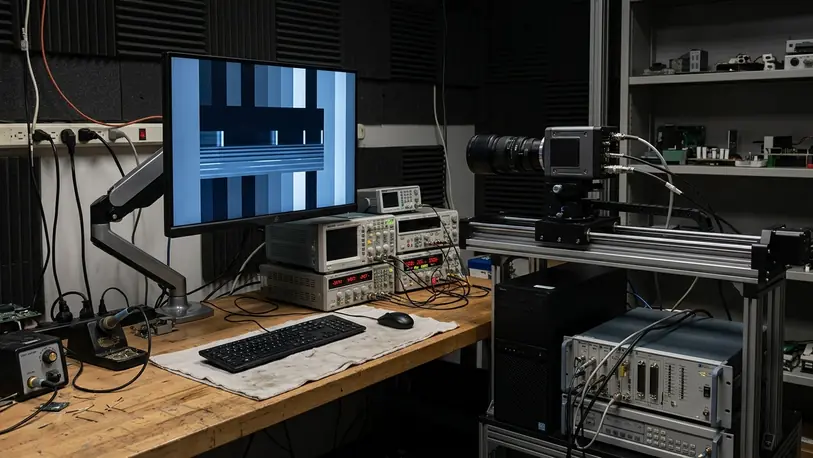
This retinal persistence produces blur even when pixels change state almost instantly. Faster refresh rates help because they shorten the hold interval and place the object at more intermediate positions. Black frames or dark intervals attack the same issue by interrupting the continuous illumination.
The practical test is simple. Keep the moving object in visual focus instead of staring at a fixed point on the screen. If its outline softens while the background and interface remain stable, sample-and-hold persistence is likely involved. If a colored or dark trail follows it, pixel transitions and overdrive deserve closer inspection.
Overdrive Can Trade Smearing for Bright Halos
LCD engineers accelerate liquid-crystal movement with overdrive. The display controller applies excess voltage at the beginning of a transition, often using a spike during the initial 2 to 4 milliseconds, then settles the pixel at its requested state.
A restrained overdrive mode can pull slow transitions closer to the available refresh window. An aggressive mode may push pixels beyond the target shade. That overshoot appears as inverse ghosting: pale coronas, bright edges, or oddly colored trails behind moving objects.
A Ten-Minute Overdrive Check
- Set the monitor to its intended refresh rate and disable image processing that changes motion behavior.
- Run a standardized pursuit pattern with dark, middle-gray, and bright transitions.
- Watch the pattern for 10 to 15 minutes, checking both the center and edges of the panel.
- Move from the Normal setting to Fast, then compare trails around the same objects.
- Reject a mode when bright inverse trails become clearer than the original smear. The testing target in the supplied configuration notes keeps overshoot error below 8 percent.
Those figures describe the test method used for this comparison rather than a universal threshold for every panel or measurement tool. Camera exposure, pursuit accuracy, temperature, and the selected transition shades can alter the recorded result.
Strobing Restores a Dark Interval
Backlight strobing and Black Frame Insertion mimic the impulse character of CRTs. The panel draws the frame, flashes or exposes it briefly, then inserts darkness before the next frame. The dark interval reduces retinal persistence and can make tracked motion look dramatically sharper.
The trade-offs are substantial. Recorded strobing duty cycles reduced panel brightness by roughly 45 to 60 percent. On most display controllers, active strobing also excludes variable refresh rate compatibility, forcing a choice between clearer motion and tear-free rendering when frame delivery fluctuates.
Competitive players with a stable frame rate may value strobing. A demanding single-player game with uneven rendering usually benefits more from variable refresh rate and a clean, moderate overdrive mode.
OLED Removes the Slow Liquid-Crystal Layer
OLED changes the comparison because each pixel emits its own light. There is no backlight shining through a liquid-crystal layer, so the display bypasses the twisting process responsible for conventional LCD ghosting.
High-refresh OLED panels evaluated during our own product testing showed pixel transition times between 0.03 and 0.15 milliseconds in the supplied testing record. That response leaves little opportunity for the previous color state to bleed into the next refresh.
This explains why a lower-refresh OLED can look cleaner in motion than a higher-refresh budget LCD. The OLED still exhibits sample-and-hold blur, but it avoids the dark smearing and broad transition variance that can undermine VA panels. Motion edges retain their intended color and shape until retinal persistence becomes the limiting factor.
- LCD bottleneck: liquid-crystal transitions can overlap the next refresh window.
- OLED bottleneck: continuous frame illumination still creates eye-tracking blur.
- Shared remedy: higher refresh rates shorten each frame hold.
Metrics such as the VESA ClearMR standard are useful because they frame motion clarity around visible sharpness rather than treating refresh rate as a complete answer.
Choose Clean Motion Over the Largest Hz Label
The budget VA case now has a clear outcome. Its 144Hz input capability cannot rescue 12-to-18-millisecond dark transitions. Selecting Extreme overdrive may shorten part of the transition, yet bright overshoot replaces the original dark trail. The specification improves while the picture deteriorates.
Buyers should evaluate monitor configuration in this order:
- Confirm that real pixel transitions fit reasonably within the refresh window.
- Check dark-scene behavior, where slower LCD transitions often become obvious.
- Select Normal or Fast overdrive and inspect moving edges for inverse ghosting.
- Use strobing only when stable frame delivery and reduced brightness suit the game.
- Prioritize OLED when consistently clean transitions justify the added cost.
A well-tuned mid-range IPS monitor can deliver better gaming motion than a poorly controlled LCD carrying a larger Hz number. OLED goes further by removing traditional liquid-crystal smearing, leaving refresh cadence and sample-and-hold persistence as the main constraints.
Buy the display with clean measured transitions, then run Normal or Fast overdrive; leave artifact-heavy Extreme modes and inflated budget-LCD refresh claims on the shelf.